Short answer: How to make a restaurant website that actually gets bookings comes down to five things: a menu written in text (not a PDF), a reserve or order button at the top of every page, your hours and address where a hungry person can find them in two seconds, a site that loads fast on a phone, and a link back to it from your Google Business Profile. Everything else is decoration. You can build it yourself on a simple builder in a weekend, or have someone build it, but those five jobs decide whether it makes you money.
Most restaurant sites fail at the basics. They open with a slow video, hide the menu in a PDF, and bury the phone number in the footer. Meanwhile your guest is standing on a sidewalk in Christiansted or Playa del Carmen with one bar of signal, trying to decide where to eat in the next ten minutes.
Why your restaurant website still matters
Google Maps and Instagram get the first look, but the website is where people decide. In a Toast survey of 1,157 U.S. diners, 32% said they always check a restaurant’s website before visiting and another 51% said they sometimes do. An older MGH survey reported by Restaurant Dive found the menu was the biggest factor in whether a site visit turned into a visit, and that a site that was hard to navigate or looked outdated turned people away.
That is why learning how to make a restaurant website the right way pays off. It is also the one place online you fully control. Your Google profile can be edited by the public. Delivery apps take a cut of every order. Your own site sends reservations and orders to you, with no middleman taking a percentage.
How to make a restaurant website in 9 steps
1. Pick a domain that matches your name
Use your restaurant name, a .com if you can get it, and nothing clever. If the .com is taken, add your town: mangobaystcroix.com beats mango-bay-eats-online.net. Keep it short enough to say out loud on the phone.
2. Choose how you will build it
When owners ask us how to make a restaurant website, this is the first fork in the road. You have three honest options:
- A DIY builder like Squarespace or Wix. Fast, cheap, fine for a single-location spot. You pay a monthly plan plus the domain.
- Your POS or reservation platform’s website tool. Toast, Square and several reservation systems offer simple site builders tied to online ordering. Easy to start, but you are renting space on their platform and design options are limited.
- WordPress built by a pro. More control, better SEO, and it can grow into events, private dining and multiple locations. Costs more upfront.
If you are not sure, start simple. A clean one-page site with the five basics beats a fancy site that never launches. When you want help picking tools, see our roundup of restaurant marketing tools.
3. Put the menu in text, not a PDF
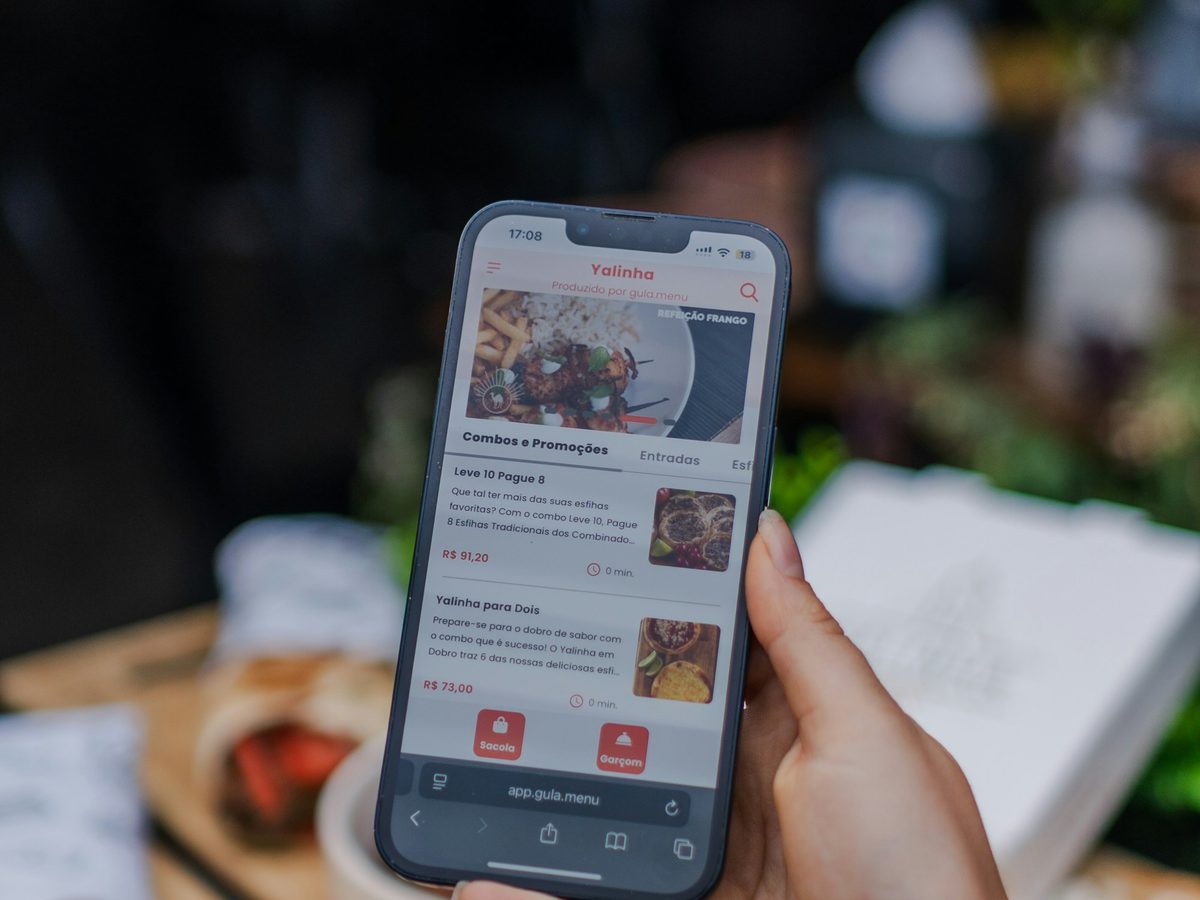
This is the single biggest fix on most restaurant sites. A PDF menu is slow on a phone, painful to zoom, and Google cannot read it well. Type your menu into the page with prices. Update it when prices change. If you need a clean printable version too, we built a free menu maker you can use for the table copy.
4. Put one clear button at the top
Decide what you want most: reservations, online orders, or calls. Make that the gold button in the top right of every page and again in the first screen of the homepage. One main action, not five. If you take reservations, link straight to your booking page, not to a “contact us” form. Picking a system? Our OpenTable vs Resy comparison breaks down the costs.
5. Make hours, address and phone impossible to miss
Hours, address, a tap-to-call phone number and a map link belong near the top of the homepage and in the footer of every page. Note holiday hours and seasonal closures. In the islands, if you close for September, say so on the site. Nothing loses a guest faster than showing up to a locked door.
6. Use real photos of your food and room
Skip stock photos. Shoot your best five dishes in daylight near a window, plus one wide shot of the dining room and one of the view or the bar. A phone is fine. Real photos tell guests what they are getting and they load faster when you size them down to about 1,200 pixels wide.
7. Build it for the phone first
Open your site on your own phone and try to do three things: find the menu, find your hours, and book a table. If any of those takes more than two taps or the page takes more than a few seconds to load, fix it before you touch the design. Big tap targets, short pages, no autoplay video.
8. Add the details that help you show up in search
Write a short page that says what you serve and where, in plain words: “Waterfront seafood restaurant in Frederiksted, St. Croix.” Add Restaurant schema (structured data that tells Google your cuisine, hours, address and menu link). Most good builders and SEO plugins can add it for you. These same details help AI assistants recommend you, which we cover in how to show up in ChatGPT.
9. Connect your website to Google
Your Google Business Profile is where most people find you first, so point it at your site. Add your website link, your menu link, and your reservation or order link. Google lets you connect a booking provider or add your own booking link. Note that some providers charge for bookings that come through Google, so ask yours first. Our guide to Google Business Profile for restaurants walks through every field.
What to put on each page
A small restaurant needs four to six pages, not twenty. If you are working out how to make a restaurant website on a budget, start with these:
- Home: one strong photo, one line about what you are, the main button, hours and address.
- Menu: text menu with prices, split by lunch, dinner, drinks.
- Reservations or Order: the booking widget or ordering link, plus your policy for large groups.
- Private events: if you do rehearsal dinners, buyouts or groups, this page can pay for the whole site. Give it a simple inquiry form.
- About: who you are and why the place exists. Short.
- Contact: phone, email, map, parking notes.
Mistakes that cost you bookings
- Sending all orders to delivery apps. Delivery apps can take a big slice of each order. See how much DoorDash charges restaurants, then add your own ordering link to your site so regulars can order direct.
- No way to capture repeat guests. Add a simple email signup (“Get our specials and event nights”). Then actually send something. Our restaurant email marketing strategy shows how.
- Outdated info. An old menu or wrong hours is worse than no site. Put a reminder on your calendar to check the site every month.
- Forgetting no-shows. If you take reservations online, add confirmations and a clear cancellation policy. See how to cut restaurant no-shows.
Run a hotel or villa as well as a restaurant? Commissions hit rooms even harder. We built a free OTA Commission Calculator that shows what Booking.com and Expedia really cost you each year.
How much does a restaurant website cost?
A DIY builder costs a monthly plan plus a domain, and your time. A site from your POS provider may be bundled into what you already pay. A custom site from a designer or agency costs more upfront but should come with a proper menu setup, SEO basics, and someone to call when something breaks. However you decide how to make a restaurant website for your place, judge it by one number: how many reservations and direct orders it brings in each month.
If you would rather hand off the question of how to make a restaurant website, our restaurant marketing service covers websites built to get bookings, plus Google and email. We work with restaurants across the Virgin Islands and the Riviera Maya. See where we work.
FAQ
How do I make a restaurant website for free?
Some builders and POS systems offer free plans, but they usually show their branding and limit your domain. For a real business, a paid plan with your own domain is worth it. At minimum, make sure your Google Business Profile has your menu, hours and booking link filled in.
How long does it take to make a restaurant website?
A simple site on a builder can go live in a weekend if you have your menu, photos and hours ready. A custom site usually takes a few weeks. Gathering the menu and photos is often the slowest part.
What is the most important part of a restaurant website?
The menu, followed closely by the reserve or order button. When you think about how to make a restaurant website that works, start there: a fast text menu on a phone and one clear way to book.
Not sure what your current site is costing you? Take our free Direct Booking Diagnostic. It takes a few minutes and shows you the first leak to fix.