Short answer: if you are asking “why is my Airbnb not getting bookings,” the cause is almost always one of four things: guests are not seeing your listing, they see it but do not click, they click but do not book, or your calendar settings are blocking the stays they want. Find which one it is and the fix gets simple.
A quiet calendar feels personal, but it is usually mechanical. Airbnb shows listings that guests are likely to book, and it shows fewer of the ones they skip. So a small problem, like a dark cover photo or a price a little high for your area, can snowball into weeks of silence. Here is how to diagnose it in about an hour.
Step 1: Find Out Where Guests Drop Off
Open your Airbnb host dashboard and look at the performance numbers for the last 30 days. You want three things:
- Search views: how many times your listing showed up in results.
- Listing views or click rate: how many of those people opened it.
- Conversion to booking: how many of those viewers booked.
Each one points to a different fix. Low search views means a visibility problem. Plenty of views but few clicks means a first-impression problem. Plenty of clicks but no bookings means a price, reviews or details problem. Do not guess. Let the numbers tell you which section below to start with.

Why Is My Airbnb Not Getting Bookings When Nobody Sees It?
If your Airbnb listing is not showing up in search, check these first:
- Calendar and availability. A blocked calendar, a short booking window, or advance notice set too long can hide you from many searches. Open the next 12 months unless you have a real reason not to.
- Minimum stay. A 5-night minimum hides you from every 2 and 3-night search. Try a shorter minimum on weekdays and shoulder season.
- Trip length filters. Turn on weekly and monthly discounts if you want longer stays. Guests filtering for those will not see you otherwise.
- Response and cancellation history. Airbnb says search ranking looks at things like price, quality, popularity and listing details, plus how hosts respond (How Airbnb search results work). Answer fast and avoid host cancellations.
Search for your own listing in a private browser window using real guest dates and a guest count. If you cannot find yourself in the first few pages, start here.
Why Is My Airbnb Not Getting Bookings When People Do See It?
If you get views but few clicks, your first impression is the problem. Guests see four things before they click: the cover photo, the title, the price and the star rating.
Your cover photo
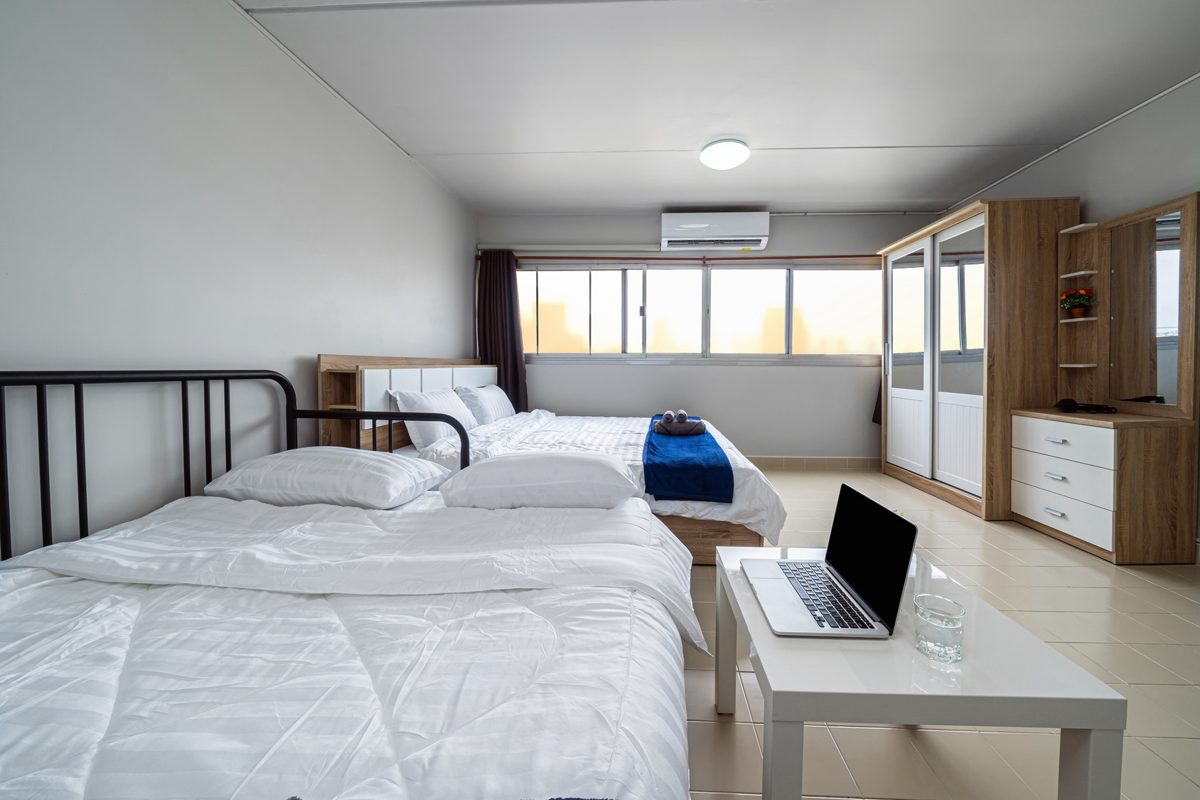
Your first photo does most of the work. Bright, wide, shot in daylight, showing the best room or the view. Not a close-up of a towel swan. Then order the rest to tell a story: main living space, bedrooms, kitchen, bathroom, outdoor space, the area.
Your title
Lead with the thing a guest would brag about: “Walk to the beach,” “Private pool,” “Rooftop with sunset view.” Skip vague words like cozy or charming unless that is the whole point.
For a full photo and copy checklist, see our guide to Airbnb listing optimization and how to make your vacation rental stand out.
Why Your Airbnb Gets Clicks but No Bookings
If guests open your listing and leave, they found a reason to say no. The usual suspects:
- Price. Compare yourself to 5 to 10 similar places nearby for the same dates, total price including cleaning fee. Guests compare the final number, not the nightly rate. Our guide on how to price your vacation rental walks through it.
- Few or old reviews. A new listing with zero reviews needs a small launch discount until it has five or so. An older listing with a recent bad review needs a calm, helpful public reply.
- Missing details. Guests want to know about parking, Wi-Fi speed, stairs, air conditioning, noise and check-in. If it is not on the page, they assume the worst.
- House rules that scare people off. A long list of rules in capital letters reads as “this host will be difficult.” Keep rules short and friendly.
My Airbnb Bookings Dropped Suddenly. What Changed?
If your Airbnb bookings dropped after a good run, look for a change in the last few weeks:
- Did you raise prices or add a fee?
- Did you get a lower rating or a tough review?
- Did you change minimum stay, check-in time or instant book?
- Did new listings open nearby?
- Is it simply the slow season in your market?
Seasonal dips are normal. Check how other hosts in your area are doing before you panic. Our list of the highest Airbnb occupancy rates and our guide to what a good Airbnb occupancy rate is help you tell a real problem from a normal slow month.
Quick Fixes You Can Make Today
- Swap your cover photo for your brightest wide shot.
- Rewrite your title around one clear selling point.
- Open your calendar 12 months out and shorten weekday minimum stays.
- Turn on instant book if you are comfortable with it.
- Add a small last-minute discount for the next two weeks.
- Reply to every message within an hour.
Then wait 10 to 14 days and check your numbers again. For the longer playbook, read how to get more Airbnb bookings.
Do Not Rely on Airbnb Alone
The hosts who ride out slow months best are the ones with a second way to get booked. A simple direct booking site, a list of past guests you can email, and a listing on Vrbo mean one platform’s quiet week is not your quiet week. Past guests who book you direct also skip the platform fee, which is money back in your pocket. See how much those fees add up to with our free booking commission calculator, and how to build a direct booking website when you are ready.
FAQ
Why is my Airbnb not getting bookings even though it is cheap?
Low price does not help if guests never see the listing or do not like the cover photo. Check search views and click rate first. Price only matters once guests are on your page.
Why is my Airbnb listing not showing up in search?
The most common causes are a blocked calendar, a long minimum stay, long advance notice settings, or a recent host cancellation. Fix your availability settings first.
How long should I wait after changes?
Give it 10 to 14 days. Search placement shifts gradually, so judge changes on a two-week trend, not one day.
Want a second set of eyes on your listing and your direct booking setup? Take our free Direct Booking Diagnostic and we will send you a plain list of what to fix first.